About the project
Scan, batch grade, be assisted by AI, give accurate feedback to your students, from a PC or a tablet
-

2018-2021
Our first thoughts
Several Master 1 projects are working on a student exam assessment tool. Architecture on top of Eclipse RCP (Java + SWT).
-

March 2022
Redesign of the project to illustrate the problems of modern Web architecture and to illustrate the coherence and the approach by skills of the Master in Computer Science (Software Engineering) of the University of Rennes
Didactic support project for several courses of the Computer Science Master of the University of Rennes. The code is not written by the students but we take excerpts of the code to introduce the DevOps challenges, WebAssembly, the notion of Web Worker, ...
-

April 2022
First tests on two teaching modules
A teaching module in electronics, a teaching module in computer science (Master MIAGE), first feedbacks.
-

July 2022
Phase 2: extension
Some new features are added: LaTeX, Word and LibreOffice templates for the creation of exam statements, translation update, recruitment of new testers, ...
-

Autumn 2022
Phase 3: consolidation
New tests at Univ Rennes and Univ Toulouse, support for MCQ, bug fixes, ...
-

Spring 2023
Phase 4: Feedbacks from users
Improved ergonomics, performance and architecture, University IS integration, over 85 pull requests since the beginning of January ...
-
Summer 2023
Phase 5: Answer Groups, ...
Grade groups of similar answers at once (CorrectExam automatically forms groups for you to review), improved performance, module import/export, standalone version (to host everything on your own laptop), ...
-

Autumn 2023
Phase 6: Annotated PDF export for students, ...
Scalability improvements, PDF manipulation (rotating pages, moving pages), ...
-

Christmas 2023
Phase 7: New scoring mechanism (hybrid), HackMD and AsciiDoc templates, ...
-

April 2024
Phase 8: Up to 250 exams already corrected 👏👏👏👏
New zen mode for correction, random correction, LaTeX template evolution, improvements based on feedback from users...
-
March 2025
Phase 9: Integration of Killian Barrere's PhD results
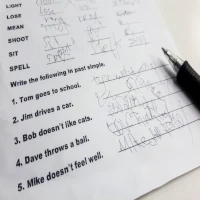
Recognition of handwritten texts. Transformer architectures deliver low error rates but are challenging to train due to limited annotated data in handwritten text recognition. AI is still executed in the browser.
-
June 2025
Phase 10: nbgrader integration
nbgrader is a tool that facilitates the creation and grading of assignments using Jupyter notebooks, as well as the distribution and retrieval of these assignments to students. It allows teachers to easily create notebook-based assignments that include programming exercises, explanatory text, images or videos, and free-form written responses. The integration with CorrectExam allows teachers to use CorrectExam for more qualitative feedback to students.
-
Autumn 2025
Phase 11: Platform upgrade
Upgrade of the front-end dependencies and of the ONNX Runtime used for handwriting recognition, improved English and Portuguese translations, cache management fixes.
-
Winter 2025
Phase 12: A server worker for large batches
First version of deskewandcachecreator, an alignment worker written in Rust (PDFium, AKAZE, corner disk detection) fed through RabbitMQ and S3, so that very large scans no longer depend on the power of the teacher's laptop.
-
November 2026
Phase 13: Student portal, MCQ grading language, server alignment
Server-side alignment available from the alignment screen, with live progress and the ability to come back to a running job; a student portal where students get all their copies through an e-mailed link, with per-exam visibility chosen by the teacher; a grading language for MCQs (partial credit, penalties) and manual MCQ corrections preserved; touch navigation pad, swipe and 90° rotation of answer zones on tablets; page count of each scan; security and reliability hardening.